Skip to content

A verse where you already look

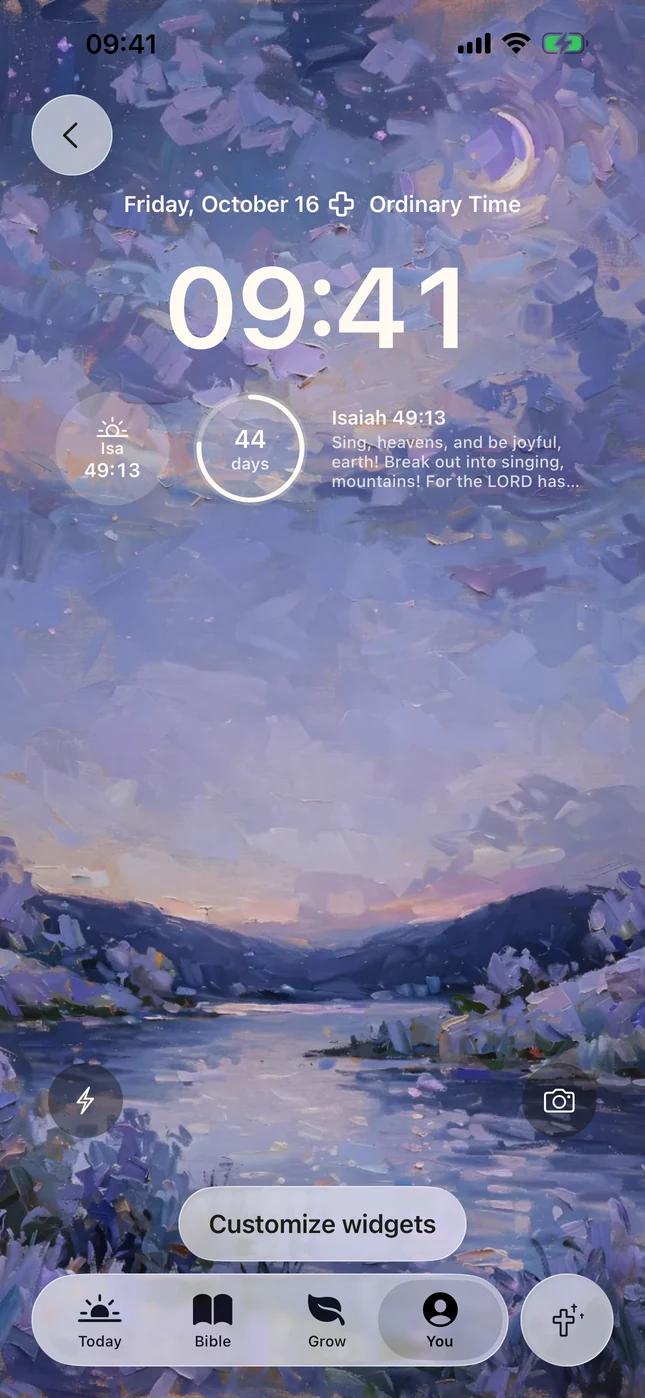
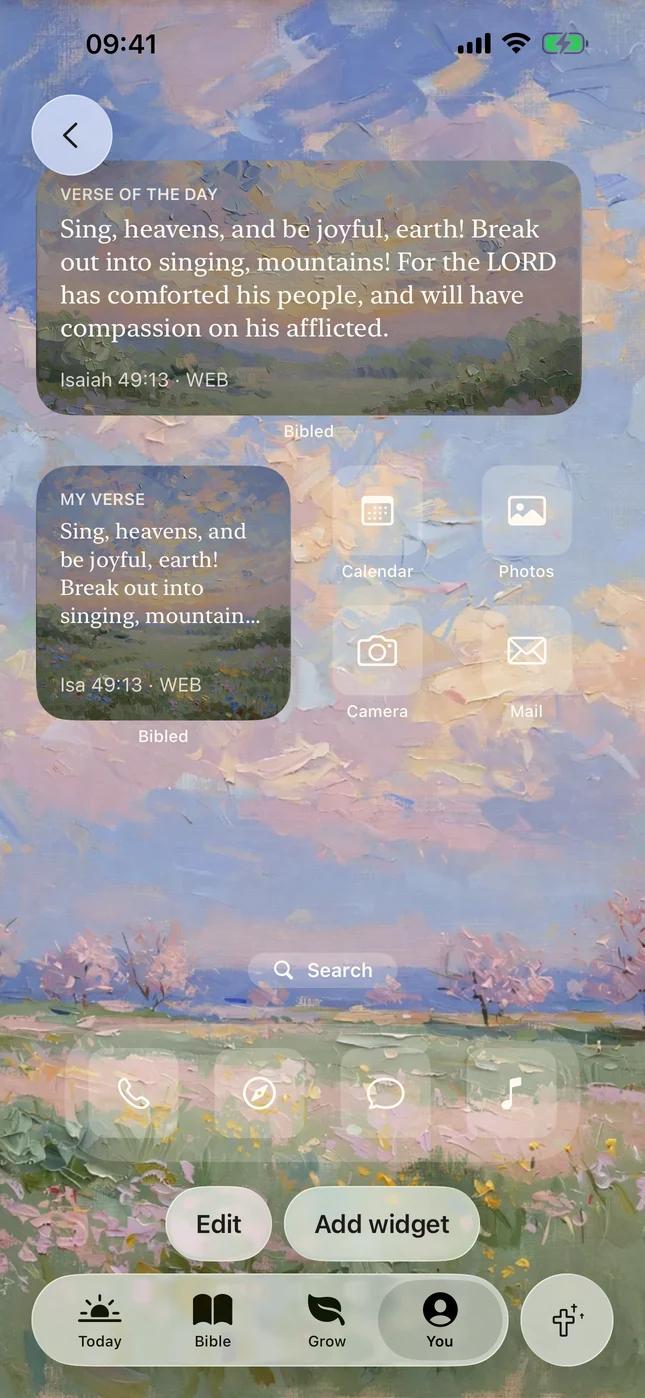
Bibled's widgets put the verse of the day on your Lock Screen and Home Screen, so it is there each time you reach for your phone.

Two widgets

Verse of the day

The same verse as Today, in your translation. It changes at midnight. Or set it to show one verse you chose, and keep it there.

Where
Home Screen in small, medium and large; Lock Screen as a rectangle, a circle, or a line above the time.
Options
Verse: Today's verse or My verse. Background: Painting or Paper.

Holy calendar

The Church's season, one glance from the Lock Screen.

Where
Lock Screen, as a rectangle, a circle, or a line above the time.

How to add one

Widgets are added from your iPhone, not from inside the app. The same steps are in Bibled under You › Widgets.

On the Lock Screen

  1. Wake your phone without unlocking it.
  2. Touch and hold the Lock Screen, then tap Customize.
  3. Choose Lock Screen and tap the widget area under the time.
  4. Pick Bibled, then tap a widget to add it.

Lock Screen widgets are monochrome by design. The verse widget fits three short lines.

On the Home Screen

  1. Touch and hold an empty spot on your Home Screen until the apps jiggle.
  2. Tap Edit in the top corner, then Add Widget.
  3. Search for Bibled and pick a size.
  4. Tap Add Widget, then Done.

To change what it shows, touch and hold the widget and tap Edit Widget.

Keep one verse in view

A verse you are holding on to can stay on your Home Screen until you change it.

Set your own verse

  1. In the Bible tab, in Chapter mode, tap the verse.
  2. Tap More, then Set as widget verse.
  3. Choose Always show this verse for your My Verse widget, or Pin for 24 hours to show it on your main widget today.
  4. Tap Set.

A My Verse widget is the verse widget with Verse set to My verse. The widgets show the verse while Bibled Plus is active; without it they say Open Bibled.

Put tomorrow's verse on your Lock Screen.

A quiet place to start each day with God: one verse, a short reading and a prayer, on paintings.

Download on theApp Store

No account. No ads. Nothing social.